Lexx
Members
-
Joined
-
Last visited
-
But will they?
-
Pillars of Eternity – Pillars of Eternity and Deadfire: C...Greetings Watchers, The PC Controller Support Public Test for Pillars of Eternity and Pillars of Eternity II: Deadfire is now live! You can now play the whole of either game with a controller, from ch"Deadfire’s Turn-Based Mode has also been reworked with the improvements we made for Pillars of Eternity’s Turn-Based Mode: turns now follow each character’s speed, combat is more lethal, and swapping weapons or drinking potions no longer costs your action. You can now switch Turn-Based Mode on or off during a playthrough, and the update brings a long list of fixes across combat, quests, audio, and the interface." Just as I was doing my dialog interface mod. :D Guess it's time to replay the game.
-
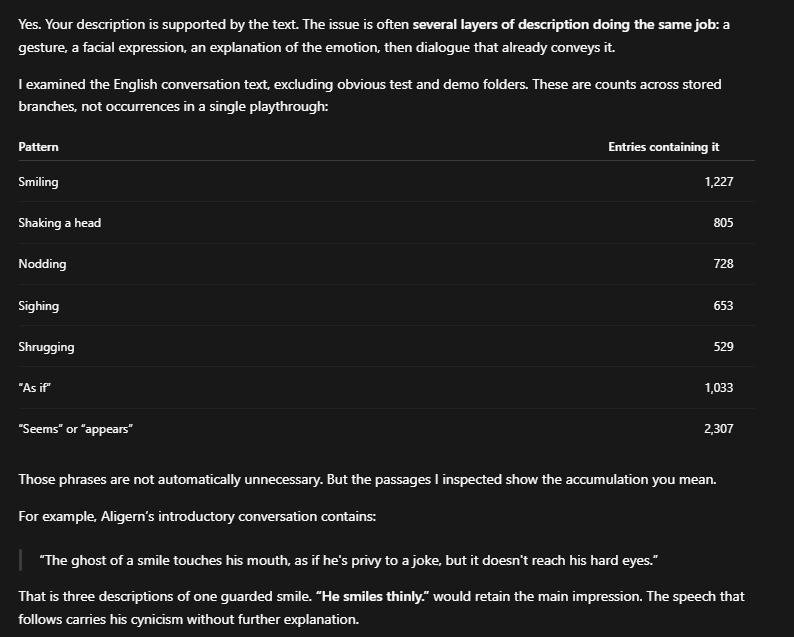
No need to write much here, except that I scrapped together a new vertical interface, inspired by more modern text heavy games: Easier to read and interact with for me, since it doesn't just change the interface but also increase the font size a bit. Page on Nexus: https://www.nexusmods.com/pillarsofeternity2/mods/886 The mod hooks into the game's dll files without overwriting them, which means it should in theory be compatible with other mods that do deeper mechanical changes. PS: Did a similar thing for Torment: Tides of Numenera the other day, which can be found here: https://www.nexusmods.com/tormenttidesofnumenera/mods/8 /Edit: Probably should have posted the thread here, but oh well.. it's hard to find and whatever, I guess.Because it sucks ass to just click through dialog and also it's annoying. You get used to doing it and before you know it, you're completely lost since all you read is answer options. Additionally, I find the text in Numenera to not just be a slog to read, but also hard to visually read. The narrow height of the dialog window, as well as the really long text blocks do not help it at all. Honestly if I would feel more motivated, I'd probably investigate if I can overhaul the whole dialog interface. /Edit: Decided to expand the mod and added a vertical dialog interface now. Makes reading much more comfortable, imo.Alright, done. https://github.com/Lexx2k/Torment_TidesOfNumenera_TextOverhaul Text has been trimmed by roughly 14% - spoken text is untouched. Mostly very wordy descriptions have been trimmed down. Main focus has been to not remove context, etc... so it's not a blind reduction, only where it makes sense. I've already replayed the beginning of the game and find it a lot more enjoyable instantly, lol.I would play the game again if someone makes an edited version that culls all of the unnecessary dialog stuff. Wonder if it would be possible to just run ai over it, lol. You know what, let me try... /Edit: On first look, ai agrees with me, lol. This is EXACTLY what I loathed about the game. What the character is feeling or doing should be reflected in his dialog, you don't have to visualize every minor detail in lengthy text, that's just exhausting. inXile clearly went with "more text = better game" which is just wrong. Pillars 1 has exactly the same issue, just not as extreme. They dramatically improved the dialog in Pillars 2, imo, which is why I like that game so much more.
 Sad, but he was old after all. Just sucks that Picard was so terrible. Could have been great, but here we are...Sadly I never finished it. Loved the beta or early access or what it was, but then it took so long for the final game to release that I was kinda over it and never wanted to try again. This game also made me realize that lots of text doesn't make a good RPG. There's so much dialog that could be trimmed down... I really don't want to slog through that again. Sometimes less is more. I've read some of the first short stories as well. The ones I've read were pretty cool. Then I started the next one and... it felt bad and again I lost motivation to continue. Never read the remaining stories.Damn, I need a new show to watch, but somehow everything feels crap. Last thing I watched was Barakamon, which was not bad, but also kinda short, and ... I dunno.Watched first 3 episode of that new Avatar show. So far I like the premise, but there are a few mHm things... Like, either dialog is corny at times, or they are trying to cram too much into few episodes again. Also it's like they are having a woke-checklist again. Gay main character, another main character with missing limb, twink friends, etc etc... Not like it bothers me much, I kinda dig it. But this studio just keeps making it look like they run down a checklist... exact same issue that the Dragon Prince had... Can't they just make normal people that feel coherent within the setting? They always quite literally have to rub everything into the viewers face. It's almost a miracle how the original Avatar show ended up being as good as it was. Probably need to do some research and check if it's really the same people doing it ...