


iMiAMi2014
Members
-
Joined
-
Last visited
-
-
I think this is not so significant, the existing points are quite enough, but it would be great to return the removed for some reason animation of the character disappearing into the pipe.
-
I believe this is the same problem that I wrote about in another post. Dash is implemented by the Dodge button (Alt for PC by default), but the problem is that underwater the same button is used to lock on a target and this action clearly takes precedence over Dodge itself. Accordingly, in order for everything to somehow work underwater, you need to assign some additional button to Dodge in addition to the standard Alt (or reassign) and use it for Dash. To summarize, the game clearly needs a patch to add a separate line in the key settings for this new target locking feature. And to return underwater sprint too.
-
Completely confused with the underwater movement controls. Before the Into the Abyss, everything was logical: there was sprint (shift by default) and dodge (alt), with the same button both on land and in water. In the Into the Abyss I don't see any way to enable underwater sprint at all, only sequential use of forward dodge (probably due to the dedicated button for the almost useless target lock underwater), but in this case this scheme begins to work on land too, making parkour almost impossible. Perhaps it’s just my stupidity, I would be grateful if someone could tell me a working combination of key assignments to return to the scheme before. Or if I’m right, then I think it makes sense to return the control to the previous scheme.
-
-
I apologize, all the problems mentioned in the message are the result of incorrectly installed mods.
-
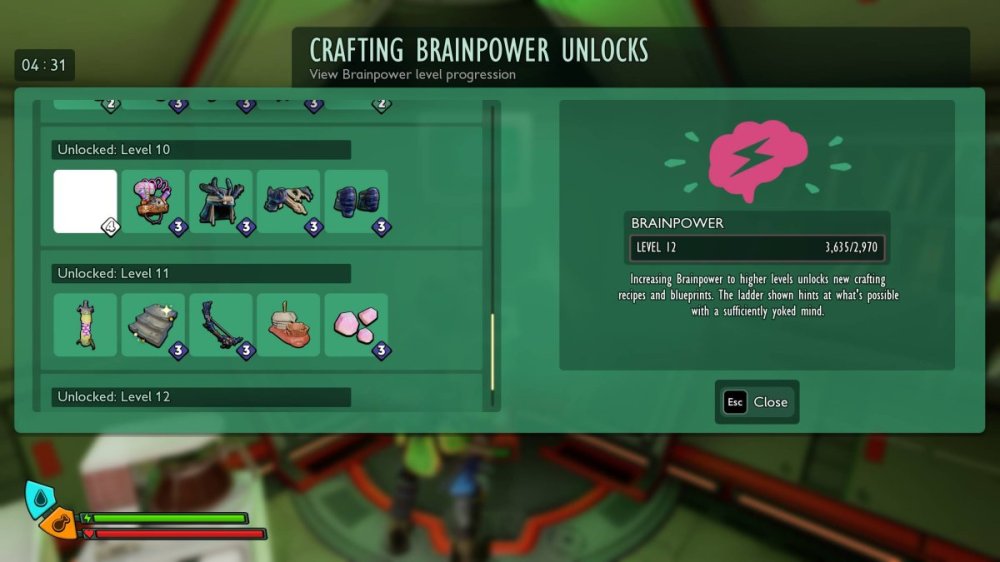
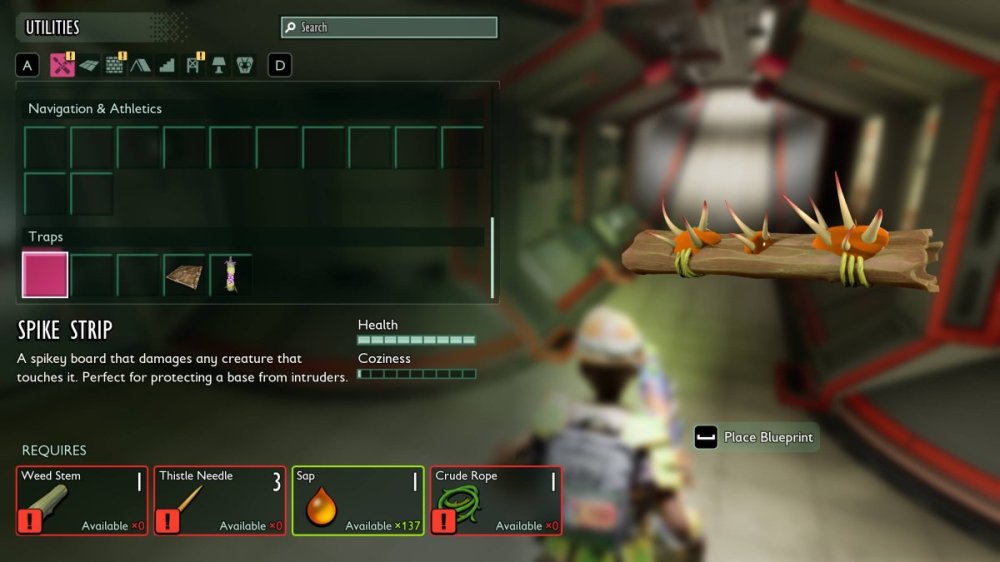
An Internet search revealed that this O.R.C. Beacon is unlocked for building at brainpower level 10. But I don’t have it in the list, despite completely completing the storyline and getting brainpower level 12. By the way, in the list there are several more empty elements at levels 2,4,5,8 (and this 10). And there are many elements without icons in building menu.
-
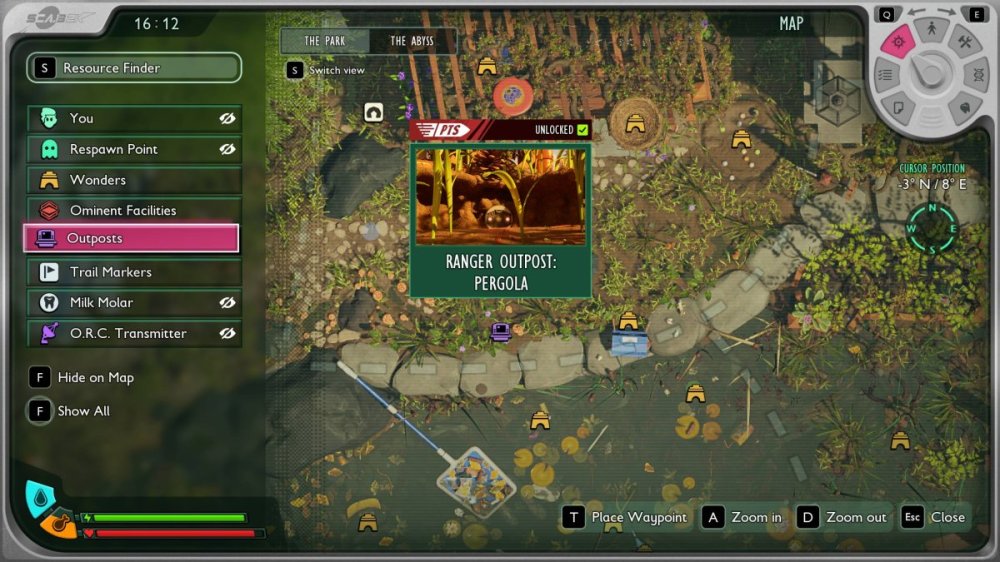
I searched for a long time (without hints on the Internet) for an outpost in the Pergola, in the end I found it, but the corresponding message and marker did not appear on the map. Again I ran in circles for a long time, stood nearby and near all the devices inside, used pneumatic transport (of course only in one direction), save-load, etc. - without result. After some time, I completely accidentally ran significantly to the south of the outpost location - and a message about its discovery and a marker on the map appeared, but precisely at this point, and not at its real location (see screenshot). Everything works fine, including pneumatic transport in both directions, but the outpost marker on the map is still hanging at the wrong point. And the second point. The list of points of interest for the Skunk Pond contains 14 points (including the outpost). In reality, after a thorough combing of the area, only 13 were found; no information about the 14th point could be found on the Internet, including Metaforge. There is a suspicion that this is a bug with Stinky Shoes hanging on a tree, which (in the projection) fall into this zone, but belong to the Gnarly Bark.
-
Trouble getting O.R.C. Cricket gold card. It did not drop either when killing Private Bouncer or during the MIX.R protection event. Both events are completed, and since the cricket will not respawn anywhere else, it is impossible to get the card.
-
I have the same problem. In addition, I note that the game is almost guaranteed to freeze if you pause it and switch to another window by alt-tab (and back), as well as quite often when the character turns fast in 3rd person view. Steam.
-
Same story in one of the playthroughs (on version 0301, PC). The rock is blown up, but the hammer doesn't land on the bench. True, this does not create a problem, you just have to plan from him to the bench.
-
On the Nexus there is a mod that solves the problem of the size of lint and cones. But about the explosive scattering of fragments during resource extraction - this is clearly a task for developers. It seems to me that automatically placing them in inventory is not the right solution, but physics do not need to be so diligently applied to the process, they should just fall to the ground, and not fly apart. By the way, this also applies to the breaking process itself, berries (feathers, etc.) should not fly off over huge distances when hit.
-
-
As I understand it, currently (0302) this Cricket does not respawn, which makes it almost impossible to get the corresponding gold card.
-
The game still regularly freezes tightly (PC, Steam), despite the promises in each hotfix about improving this issue by 20%. Moreover, after the 0.3.0.2 hotfix, it is almost guaranteed to freeze when paused and switched by alt-tab.


