


Hillerious
Members
-
Joined
-
Last visited
-
the raids came really late for me aswell. Maybe you have to finish the story before the raids are coming.
-
i have the same issue with the german (qwertz) layout. even switching to qwerty doensn't solve this problem.
-
ye, i reported that already on patch 1.3 same error, when the gas-mask runs out. after a restart it's fine again
-
Hillerious replied to Dominik Southerland's topic in Grounded 2: Technical Support (Spoiler Warning!)I can agree on that Problem. From time to time there are some on the floor, but they are not regrowing on the plants. It looks like the same bug we hat with acorns in Grounded 1.
-
You can hide every marker ingame. I think on Keyboard it‘s ‚N‘
-
Hillerious changed their profile photo
-
Yea, i see that in the same way. Usually when walking around the garden you don't switch the smoothies every time you see a specific enemy. For example, you would use the smoothe wich prevents toxic when encounter a wolf spider. But in the time you opened your inventory, find the specific smoothie in that chaos, put the correct smoothie in the "hotpick" menue - you are dead 😄 I do it like KJ9 and pick 1 smoothie i can easily craft and stick with that one. I did so in Grounded 1 aswell. Except for Bosses - like the Wasp Queen - where you prepare your inventory ahead. btw. why there are no "trash" smoothies like in grounded 1? where you could put anything in the mixer and just get a basic smoothie with no other benefit then quick healing?
-
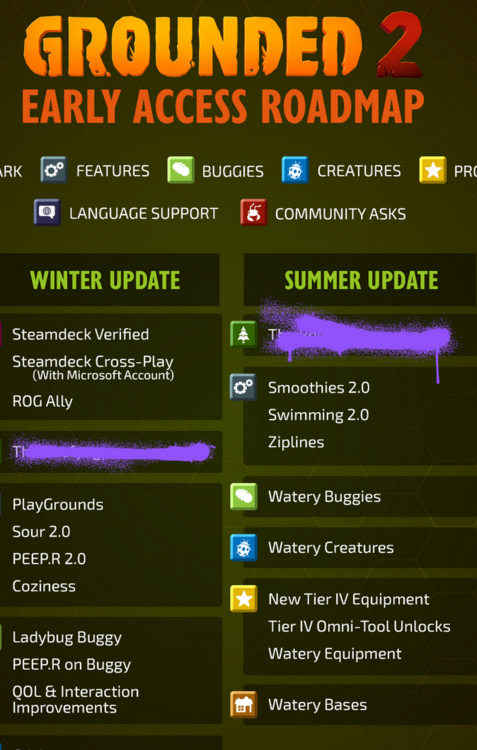
They will bring them back but it might take some time since the roadmap says "Summer Update"
-
I can comfirm it aswell. there is also a ladybug spawning in my base who can not get out.
-
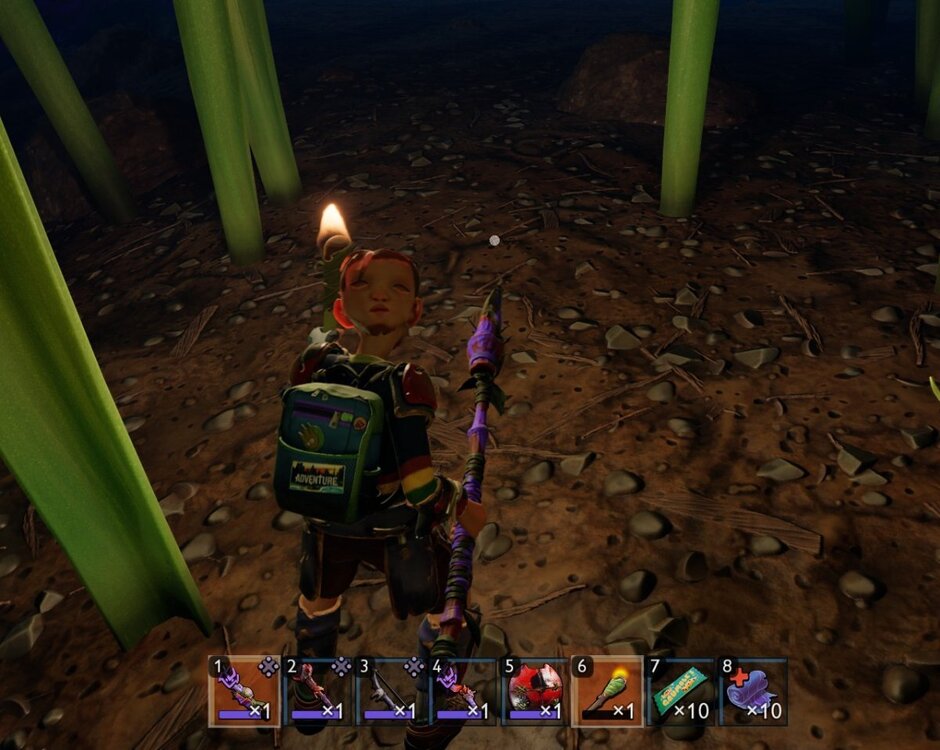
When the GasMask runs out, i got the Face on the backside on 3rd person view.
-
Same here aswell. We wanted to test the System and came up with the same error. My Friend started the game and shared it with me. We played together. Then both exited the game. I hosted his shared world, built some things and went offline again. When my friend wanted to host the game again he started from zero.
-
Yes. I also reported that bug. Same happens with your armor on the armor stands btw it already hass been there before and got fixed in 13.1. but it is back now. As a workaround you should put the armor and weapon in a chest.
-
Hi there, the bug wich has been solved in one of the last patches: Items will no longer gradually lose durability after multiple save / loads on difficulties that are not "Medium". Is back again. Playing on Xbox one on Singleplayer and Multiplayer. As a workaround you can store the items in the chests. greetings
-
Hi there, i have been playing a multiplayergame on xbox and discovered two problems with weapon/armor cloning. The first thing i discovered was, that my fresh lvl 6 Bone Dagger got replaced by a lvl 7 Spicy Black Ant Sword. The Bone Dagger was located on a weapon stand on a wall. So now i have no Bone Dagger but two lvl 7 Spicy Black Ant Swords. The second cloning/exchanging i discovered has been my swimming set on an armor stand. The stand was equipped with a bubble helmet, a Koi breastplate and Flip Flops. When i went there to exchange the Armor it has changed to the Black Ant Armor i have been wearing (lvl 8/9). So now i have two almost completely updated Black Ant armor sets and no swimming equipment. Aditionally, since the Bugs Strike Back update, i can't upgrade my Black Ant Sword. It should be lvl 8. But since the update it changed to lvl 7. I can klick on "upgrade", the effectsound appears but the weapon stays the same. I even crafted a new one but can't upgrade that beyond lvl 7 aswell. (This Problem occurs on Singleplayer aswell) Anyone else is discovering that problems? Greetings, Hillerious
-
The Jewel-Recipes are unocked by a Burgl-Chip. Not sure about the Dust Mite Fuzz. But i think the arrows are unlocked by the splinters.
-
I have the same Problem with one of my Ziplines. Once inside the wall you either have the coice to destroy the wall or give up. As a Workaround you can put the Anchor on top of an open door. So you just slide inside the building. My System: Xbox One - Single Player


