


Darkless
Members
-
Joined
-
Last visited
-
Tried the new new patch today for the fist time. I think something is wrong with the rendering, like there is way TOO MUCH sharpening. Im playing at 1440p resolution and fonts now appears like scratched and unpleasant to read, no matter the size selected. Also portraits and other graphis elements don't look as before.
-
Good, i will try it after work. Wonder if the blurred fonts are still there...
-
Mmmm after the last update i got the blurred fonts issue back. also on Steam I started a new game an I didn't get the kickstarter and pre-order items in the inventory.
-
Same issues here. The engine update finally fixed the blurred fonts problem but now its all less readable.
-
Darkless replied to Amentep's topic in Pillars of Eternity II: Deadfire General Discussion (NO SPOILERS)I leave the black lines cause they look like the original watermarks. If you don't like them you can simply set the ink level (top slider) to 0 or so. You must use Gimp for 2 reasons: first to cut off the background of the portrait. (with paint.net the cut tool sucks). And second cause with paint.net you can't paste layers in mutiply mode.
-
Darkless replied to Amentep's topic in Pillars of Eternity II: Deadfire General Discussion (NO SPOILERS)Darkless replied to Amentep's topic in Pillars of Eternity II: Deadfire General Discussion (NO SPOILERS)Just adjust brightness / contrast as you like:


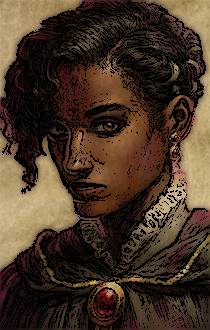
 Darkless replied to Amentep's topic in Pillars of Eternity II: Deadfire General Discussion (NO SPOILERS)I re-post my quide. Try it by yourself, it's easy. (will do all the watercolors as soon as i will have some free time anyway)Darkless replied to Amentep's topic in Pillars of Eternity II: Deadfire General Discussion (NO SPOILERS)You mean che watercolor background ? Obisidian provided it for download back then. The link was in the Portraits Thread part I For a better quality I suggest you to resize it to 210x330 when you paste the portrait on it so it fits exactly. Then only when you have created your watercloror portrait scale it down to 90x141: Anyway:
 Darkless replied to Amentep's topic in Pillars of Eternity II: Deadfire General Discussion (NO SPOILERS)Here you go:
 Darkless replied to Amentep's topic in Pillars of Eternity II: Deadfire General Discussion (NO SPOILERS)Actually i didn't do any job (beside cut off the background): all the "waterclolor" process is made with a single click (well maybe 2) to apply a filter as is. Check my previous post. I wrote instructions to watercolor your portraits in a few minutes using only free tools.Darkless replied to Amentep's topic in Pillars of Eternity II: Deadfire General Discussion (NO SPOILERS)Check my post in the previous page for an easy guide on how to easily watercolor your portraits. If something is not clear, just ask.
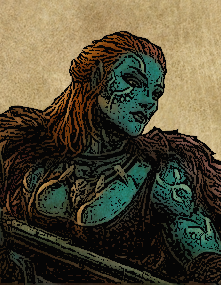 Darkless replied to Amentep's topic in Pillars of Eternity II: Deadfire General Discussion (NO SPOILERS)Lol feels like my previous post was completely useles.... Anyway:
 Darkless replied to Amentep's topic in Pillars of Eternity II: Deadfire General Discussion (NO SPOILERS)You just need bit of patience. Keep in mind that you are gonna work with a very small pictures: The base portrait is just 210x330 and the watercolor one is even smaller: 90x141. You really don't need to make a clean precise work. All the imperfections won't be noticed with such small dimensionsDarkless replied to Amentep's topic in Pillars of Eternity II: Deadfire General Discussion (NO SPOILERS)Just to let you know there is quite an easy method to watercolor any picture in very few minutes. Doesn't need any skill (i don't have any myself), just bit of patience: 1- Cut out the background (if there is any) using your fav photo editor (For example Gimp) and export the picture as PNG with a new name. 2- Open the new picture without background with PAINT.NET (it's a free photo editor, just google it) and apply the artistic effect INK (use the slides to set it until you get the result you prefer). Save it. 3- Open the new "inked" picture with Gimp as well as the watercolor background clean that you can find in the first portrait thread. 4- In Gimp select the inked picture and paste it as new layer on the watercolor background using the multiply method. 5- Adjust brightness and contrast and you got your watercolor portrait.





