


erikgomez2388
Initiates
-
Joined
-
Last visited
Everything posted by erikgomez2388
-
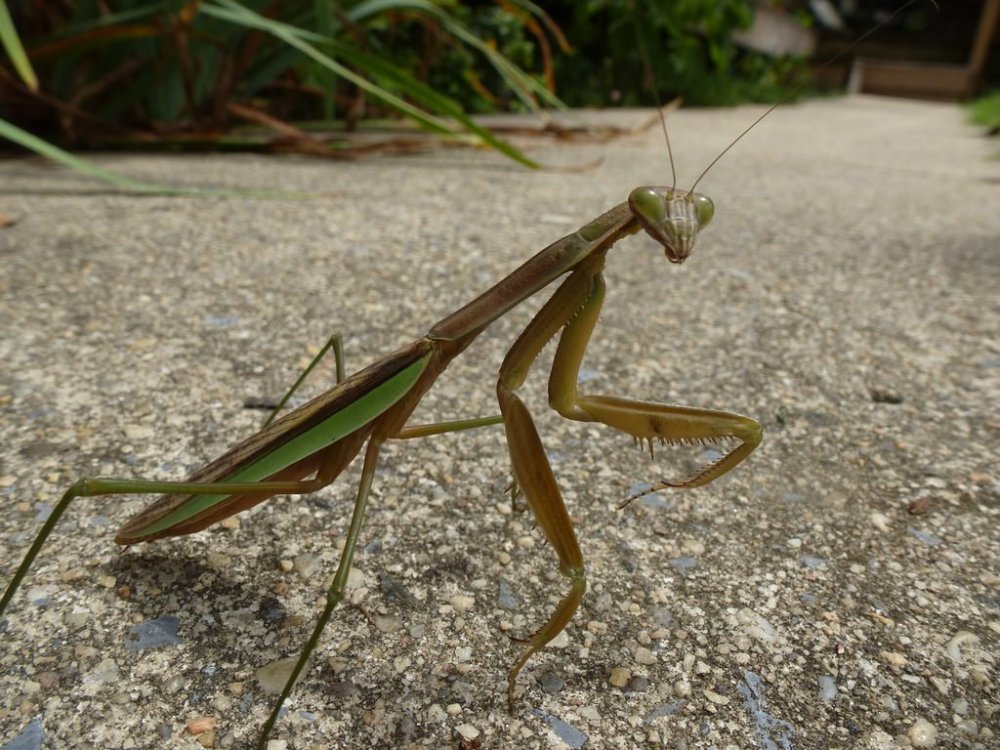
I know Grounded 1 already had a praying mantis boss, but imagine a more aggressive version. This one does not care if you have the best gear or weapon in the game, it’ll tear you apart. I would suggest: The Chinese Praying Mantis (CPM) This invasive heavy-weight class has many quick strikes and will dash towards you unexpectedly with heavy hits. This kind of boss won’t be any typical boss. It will force you to learn perfect blocks and master timing to beat it. Why? Because it will bring back the bleeding effect the praying mantis gave during Grounded 1. The weaknesses could be Salty, Ice, and Tang. Meanwhile resisting Spicy, Sour, Poison, and more elements. (Due to it being an experienced fighter, possibly having a little dark lore of it killing some scientists who were trying to tame it into a buggy). The weak point could be the eyes, but more importantly the one with the scar. This mantis will have many scars on it to show off its fighting experiences. The CPM will be able to tear down your blocks much easier, especially when it unleashes a charged attack, dashing towards you almost instantly. It’ll have a base combo of 7 strikes. 1 starting hit, 5 super quick consecutive strikes, then 1 last strike before finishing. If you hold a close range fight with it, it’ll leap away and charge a powerful strike. After shining its raptorial legs—a second waits, and it zooms to you almost instantly, breaking down your guard if you were preparing for it. There can be more combos with high amounts of quick strikes…up to 10 strikes in a set. Aggressive. Merciless. A proving champion that has won over many fights. Oh, and…maybe if the developers would like you to suffer, then they could add a feature that causes this mantis to become more angry and a lot quicker while it’s low HP.
-
It’d be nice if we could attack while dashing on land or underwater. For example, if we have a fully charged attack, it could be interrupted by dashing (because of the animation). Perhaps there could be a setting where we can toggle this on and off. If it’s on, you can still hold that charged attack even while dashing, so when you dodge an incoming hit or dash towards an enemy you can hit them hard. This could also work for normal hits that aren’t charged. If the setting is off, you dash with the animation that interrupts your attacking animation. The pro of this is that you get extra range to rush in for an attack or get uninterrupted (removing the dash animation, but not the movement). The con is that you lose extra energy, costing you the dash energy and the attacking energy.
