


Frost995
Initiates
-
Joined
-
Last visited
Everything posted by Frost995
-
Hi. I've reported a similar issue. Seems related to the torso state related to rotating view to me. After conducting some test, i've noticed is more frequent to trigger using controller analog. With mouse is more rare couse it has a less linear input. You can reproduce it easily jumping while rotating. Guess it is going to be addressed in future minor updates/fixes.
-
I attach also a screenshot to show the issue.
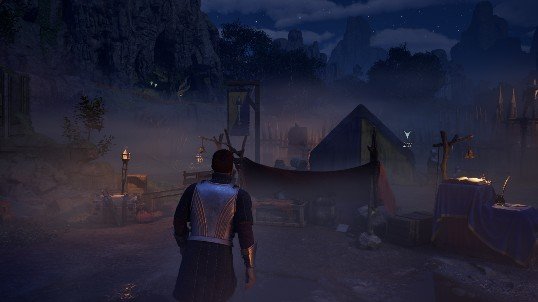
-
After the Anniversary Update on PC via the Xbox App, I have encountered a persistent third-person animation bug in Avowed. The character’s torso can remain permanently tilted after landing, and this happens intermittently rather than on every jump. The bug is most apparent during jumps while the character is rotating relative to the camera. Using a keyboard and mouse, the rotation tends to be discrete, so the bug appears less frequently, often after several jumps. Using a gamepad with analog input, the rotation is continuous, which greatly increases the probability of triggering the bug. In fact, with a controller, it can appear after just one or two jumps, without the need to sprint. The underlying issue seems to be linked to the transition from Falling to Landing and then to the standard locomotion state. When the character lands while still rotating toward the camera, the game attempts a small automatic realignment to the view direction. During this transition, the additive pose applied to the upper body by the Landing Montage is sometimes not cleared properly, leaving the torso permanently tilted. Reloading a save or using the transformation mirror immediately resets the posture. Framerate limitations can affect the likelihood of the bug: capping the FPS to around 60 delays its occurrence but does not eliminate it entirely. The bug does not appear to be related to terrain, collisions, or corrupted assets, and it is independent of sprinting, although sprint input sometimes increases the chances of occurrence with mouse and keyboard. Overall, this appears to be a regression introduced by the latest update, related to the interaction between the Animation Blueprint and CharacterMovementComponent. Specifically, the additive upper-body pose from the landing animation is not always properly removed when the character rotates during the Falling → Landing transition. This makes it possible to reliably reproduce the issue under certain conditions, especially when using a gamepad for continuous camera rotation.
