Jans
Initiates
-
Joined
-
Last visited
-
Jans replied to Anuan's topic in Pillars of Eternity II: Deadfire Technical Support (Spoiler Warning!)Hey, Don't know if you still have this problem or even care about playing the game anymore but it's some kind of DirectX shenanigans, so if you have this problem use dxvk to change to Vulkan and that will fix everything.
-
Jans replied to Jans's topic in Pillars of Eternity II: Deadfire Technical Support (Spoiler Warning!)Nevermind, I am a dang genius. It's some kind of DirectX shenanigans, so if you have this problem use dxvk to change to Vulkan and that will fix everything.
-
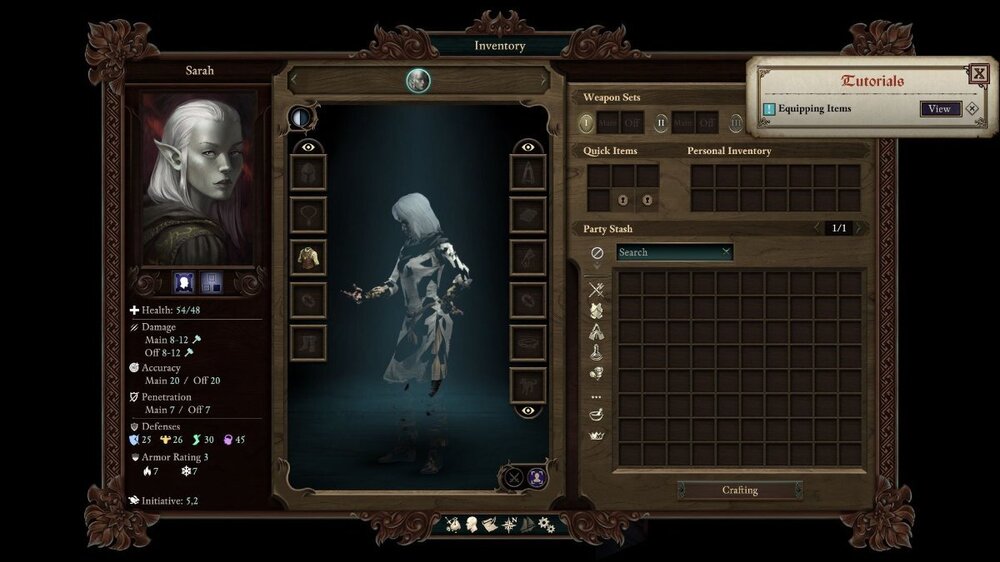
Hi, Does anyone know how to fix this texture bug. I'm playing on gamepass if that helps. Intel Arc A750