


4everdi5cord
Initiates
-
Joined
-
Last visited
Everything posted by 4everdi5cord
-
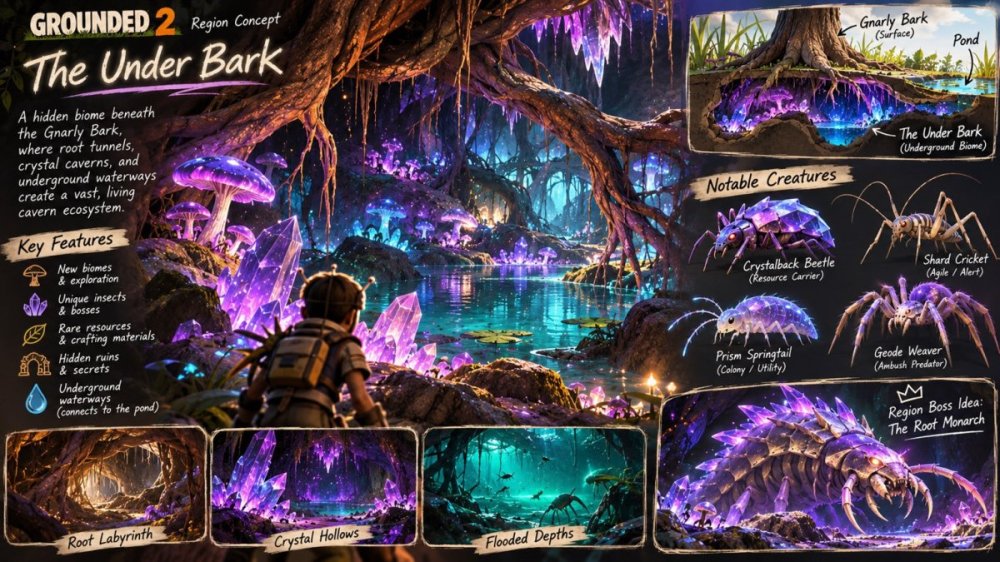
As a little nod to the Underdark from D&D and Baldur’s Gate 3? Since the tree sits right next to the pond, imagine exploring a maze of tangled roots that eventually opens into enormous caverns filled with glowing fungi, crystal formations, underground lakes, and hidden passages connecting to the pond. There could be unique creatures like cave crickets, translucent springtails, crystal-armored beetles, and spiders lurking among the roots. Maybe even a massive underground boss guarding the deepest chambers. It could introduce new resources, crafting materials, and opportunities for underground base-building. I think it would be an awesome way to expand the map while adding a mysterious, slightly eerie atmosphere to the game. Plus, “The Under Bark” just feels like a perfect Grounded-style reference!
-
My friend and I have been having constant issues playing Grounded 2 together on PS5. We can usually play for about 5 minutes before getting disconnected from the shared world. The frustrating part is that once we’re disconnected, we can’t rejoin because the shared world still shows as online, even though we’re no longer playing in it. This keeps happening and makes it almost impossible to play together. We’ve been really enjoying the game, but the multiplayer issues are becoming incredibly frustrating. Is anyone else experiencing this on PS5? Is this a known issue, and is there a workaround or fix planned? Any help would be appreciated!
