Sarafan
Initiates
-
Joined
-
Last visited
-
I wouldn't be so pessimistic. First of all there are contradictory news when it comes who has Obisidian right now. Probably the studio is being put under ZeniMax Media not Bethesda Softworks or Bethesda Game Studios. In this case the studio will have a similar status as id Software. What we know for sure is that Obsidian will work with Bethesda Game Studios on a new Fallout game. It's not a bad thing. Obsidian is great when it comes to writing stories and quests. Bethesda is good (or at least decent) when it comes to open worlds. So the potential combination of these can get us a great game. It appears that Josh Sawyer is the game director of next Fallout game, so this guarantees quality IMHO. I also hope that Tim Cain will be involved in the development.
-
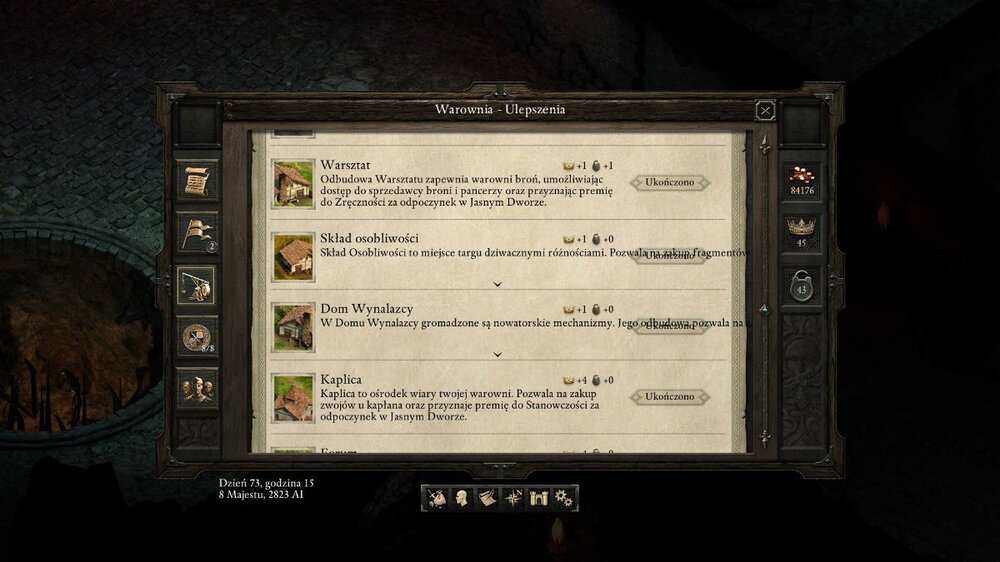
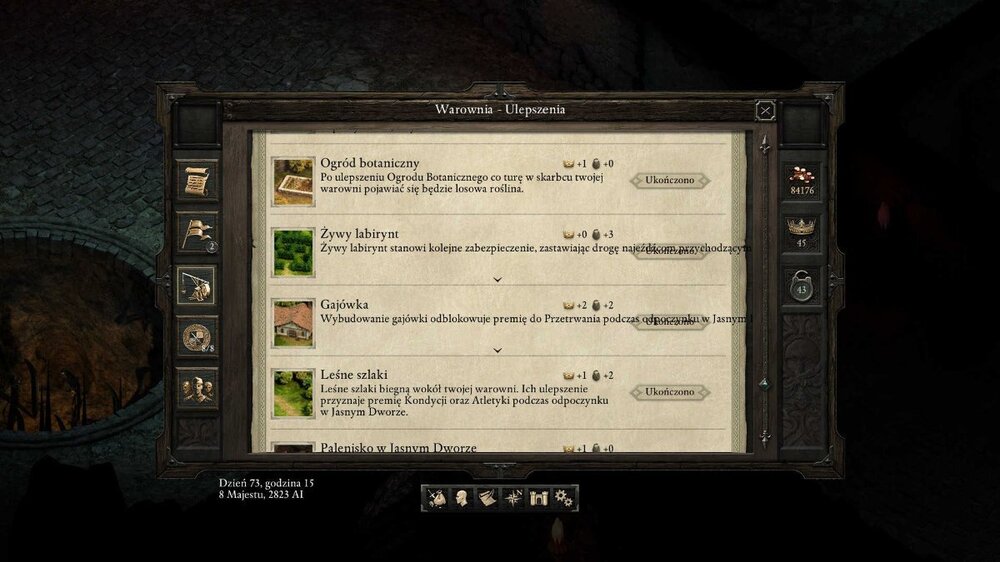
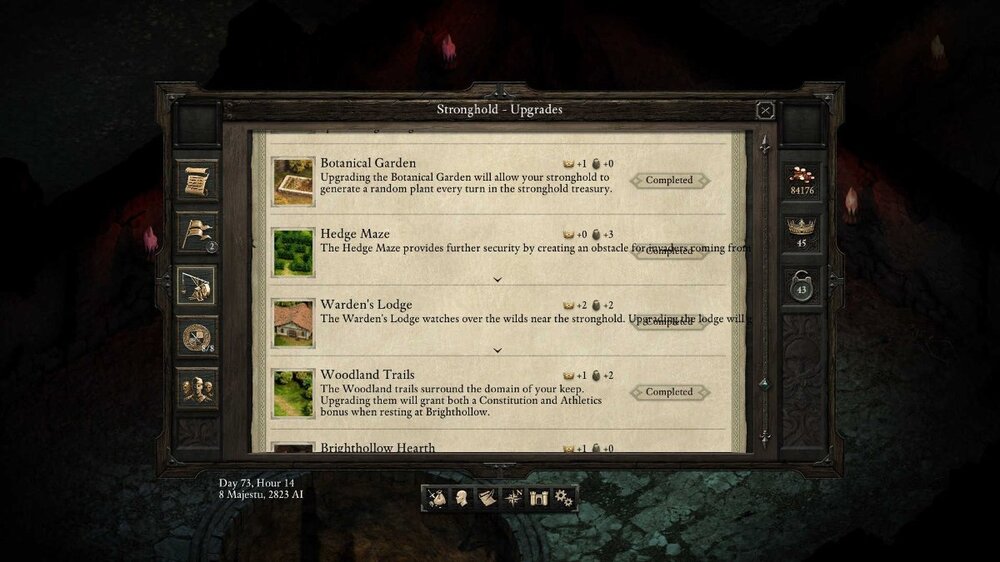
Hello, I'd like to report some minor bugs regarding the beta version of turn-based mode. These aren't related directly to the turn-based mode and are rather cosmetic ones, but I think they should be addressed. When you open the panel where you can build upgrades to the keep you'll see some displaced descriptions. There are four of them in Polish version of the game and two in English. See the attached screenshots. Everything returns to normal when you expand the descriptions.