Jump to content
View in the app

A better way to browse. Learn more.

Obsidian Forum Community

A full-screen app on your home screen with push notifications, badges and more.

To install this app on iOS and iPadOS
  1. Tap the Share icon in Safari
  2. Scroll the menu and tap Add to Home Screen.
  3. Tap Add in the top-right corner.
To install this app on Android
  1. Tap the 3-dot menu (⋮) in the top-right corner of the browser.
  2. Tap Add to Home screen or Install app.
  3. Confirm by tapping Install.

Hades Phoenix

Initiates
  • Joined

  • Last visited

Everything posted by Hades Phoenix

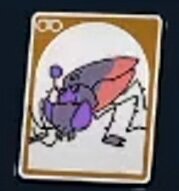
  1. Now, I ALWAYS Peep bugs. Immediately. I know for a fact that I Peeped her. As she’s quite literally in the path of the story… The O.R.C ****roach Queen just has one major issue (Besides this not working the first time.)….as far as I know, she currently has no other Spawn, nor Respawn. It’s my only missing Card 😪. I do love this game though. It’s going to be great when everything is done.
Configure browser push notifications

Chrome (Android)
  1. Tap the lock icon next to the address bar.
  2. Tap Permissions → Notifications.
  3. Adjust your preference.
Chrome (Desktop)
  1. Click the padlock icon in the address bar.
  2. Select Site settings.
  3. Find Notifications and adjust your preference.