Jump to content
View in the app

A better way to browse. Learn more.

Obsidian Forum Community

A full-screen app on your home screen with push notifications, badges and more.

To install this app on iOS and iPadOS
  1. Tap the Share icon in Safari
  2. Scroll the menu and tap Add to Home Screen.
  3. Tap Add in the top-right corner.
To install this app on Android
  1. Tap the 3-dot menu (⋮) in the top-right corner of the browser.
  2. Tap Add to Home screen or Install app.
  3. Confirm by tapping Install.

SASkievua

Initiates
  • Joined

  • Last visited

Everything posted by SASkievua

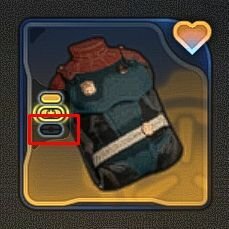
  1. it added additional slot to all my armors, but everything that I installed there disappeared after I saved and loaded my game there was one exception - armor that was on me when I installed something to its new slot but after I took off this armor and again do save-load - installed addon disappeared from its new slot too

  2. also encountered this bug with this perk and rebinded keys VERY annoying

Configure browser push notifications

Chrome (Android)
  1. Tap the lock icon next to the address bar.
  2. Tap Permissions → Notifications.
  3. Adjust your preference.
Chrome (Desktop)
  1. Click the padlock icon in the address bar.
  2. Select Site settings.
  3. Find Notifications and adjust your preference.