Jump to content
View in the app

A better way to browse. Learn more.

Obsidian Forum Community

A full-screen app on your home screen with push notifications, badges and more.

To install this app on iOS and iPadOS
  1. Tap the Share icon in Safari
  2. Scroll the menu and tap Add to Home Screen.
  3. Tap Add in the top-right corner.
To install this app on Android
  1. Tap the 3-dot menu (⋮) in the top-right corner of the browser.
  2. Tap Add to Home screen or Install app.
  3. Confirm by tapping Install.

Codykrom

Initiates
  • Joined

  • Last visited

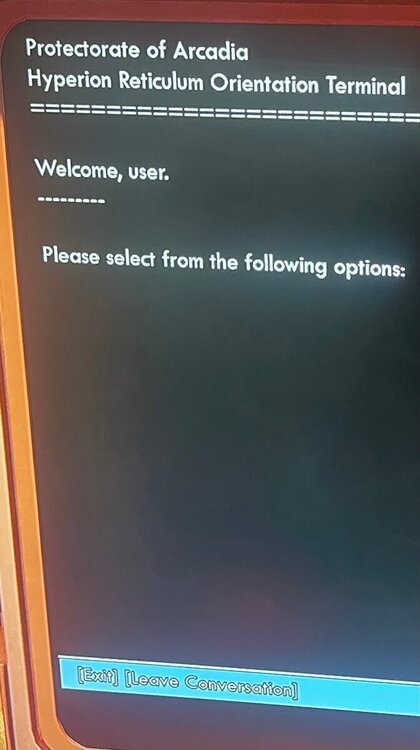
  1. On the quest, aim the satellites from the AURIS listening post aim The HYPERION reticulum satellites toward deep space. - Attempt to realign the satellites, triggered automatic security they’ll need to be dealt with before the Hyperion reticulum can be modified. I’ve killed all the drones the computer in the center of the room says welcome user please select from the following options. Exit leave conversation. The only two doors two are out of the room are both sealed. I don’t have a recent save help thank you.
Configure browser push notifications

Chrome (Android)
  1. Tap the lock icon next to the address bar.
  2. Tap Permissions → Notifications.
  3. Adjust your preference.
Chrome (Desktop)
  1. Click the padlock icon in the address bar.
  2. Select Site settings.
  3. Find Notifications and adjust your preference.