TrinDiesel
Initiates
-
Joined
-
Last visited
-
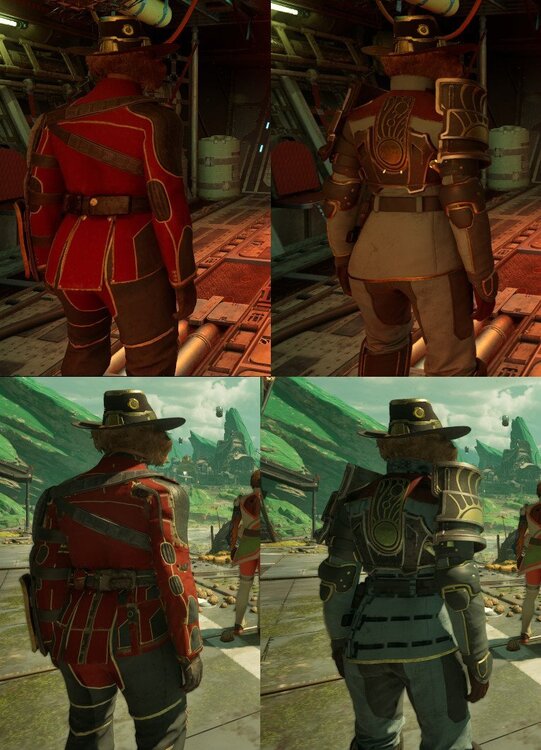
TrinDiesel replied to Trackah123's topic in The Outer Worlds 2: Technical Support (Spoiler Warning!)Yep just as you described. Changing texture quality will fix the issue until the game loads a new area. Then goes right back to being misaligned. That's how I can get consistent screenshots of the error across multiple outfits.
-
TrinDiesel replied to Trackah123's topic in The Outer Worlds 2: Technical Support (Spoiler Warning!)I'm also getting a similar issue to this very badly on player clothing. This happens to pretty much every outfit I'm wearing, any time I load into a new area Its very frustrating and distracting. My card is an AMD RX 6900 XT