Jump to content
View in the app

A better way to browse. Learn more.

Obsidian Forum Community

A full-screen app on your home screen with push notifications, badges and more.

To install this app on iOS and iPadOS
  1. Tap the Share icon in Safari
  2. Scroll the menu and tap Add to Home Screen.
  3. Tap Add in the top-right corner.
To install this app on Android
  1. Tap the 3-dot menu (⋮) in the top-right corner of the browser.
  2. Tap Add to Home screen or Install app.
  3. Confirm by tapping Install.

S2uBu

Initiates
  • Joined

  • Last visited

  1. Realised I posted this in the wrong forum, please move the the tech support forum...sorry
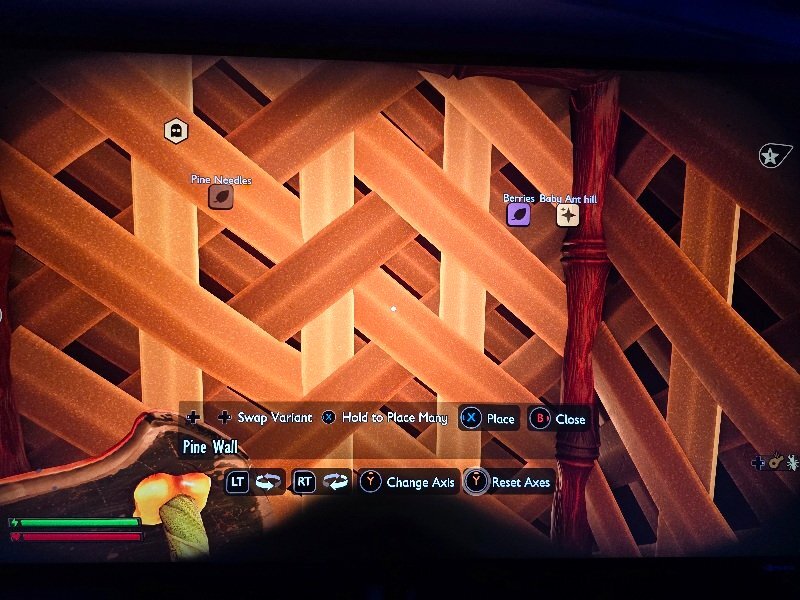
  2. There is one. When you look at an item there should be a button which has 2 pages on top of each other, when you use this button (RS on controller) it opens up a menu which includes swap variant which allows you to upgrade it
  3. I have created a shared world and tried to share with a friend but none of my friends are showing. I am on a series x playing the gamepass version. I have checked other games including Grounded 1, and the friends list is showing fine so I do not think it is a settings problem. Hope this gets fixed soon
Account

Navigation

Search

Configure browser push notifications

Chrome (Android)
  1. Tap the lock icon next to the address bar.
  2. Tap Permissions → Notifications.
  3. Adjust your preference.
Chrome (Desktop)
  1. Click the padlock icon in the address bar.
  2. Select Site settings.
  3. Find Notifications and adjust your preference.