Jump to content
View in the app

A better way to browse. Learn more.

Obsidian Forum Community

A full-screen app on your home screen with push notifications, badges and more.

To install this app on iOS and iPadOS
  1. Tap the Share icon in Safari
  2. Scroll the menu and tap Add to Home Screen.
  3. Tap Add in the top-right corner.
To install this app on Android
  1. Tap the 3-dot menu (⋮) in the top-right corner of the browser.
  2. Tap Add to Home screen or Install app.
  3. Confirm by tapping Install.

jasoncrist

Initiates
  • Joined

  • Last visited

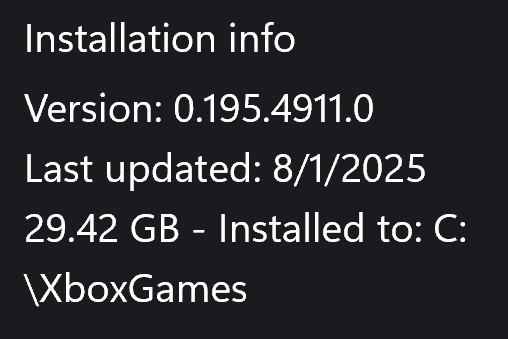
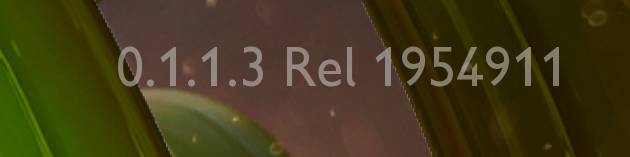
  1. The Turret is controlled by the mouse or controller when occupied by a player. It should respond to the users setting for whether to invert the y control to operate like an airplane in the pitch axis. Noted this version and before on Xbox App for PC: Xbox PC ver: Version: 0.195.4911.0 Last updated: 8/1/2025 In App ver: 0.1.1.3 Rel 1954911 Repro: 1) Place and Build a Turret 2) enter the turret and note the current direction of the Y/pitch axis by controller or mouse. 3) default is pushing up causes turret to rotate up in elevation/pitch. 4) change setting of either keyboard/(mouse) or controller to invert y. 5) return to turret and note that the control scheme has not changed.
Configure browser push notifications

Chrome (Android)
  1. Tap the lock icon next to the address bar.
  2. Tap Permissions → Notifications.
  3. Adjust your preference.
Chrome (Desktop)
  1. Click the padlock icon in the address bar.
  2. Select Site settings.
  3. Find Notifications and adjust your preference.