Jump to content
View in the app

A better way to browse. Learn more.

Obsidian Forum Community

A full-screen app on your home screen with push notifications, badges and more.

To install this app on iOS and iPadOS
  1. Tap the Share icon in Safari
  2. Scroll the menu and tap Add to Home Screen.
  3. Tap Add in the top-right corner.
To install this app on Android
  1. Tap the 3-dot menu (⋮) in the top-right corner of the browser.
  2. Tap Add to Home screen or Install app.
  3. Confirm by tapping Install.

killerky751

Initiates
  • Joined

  • Last visited

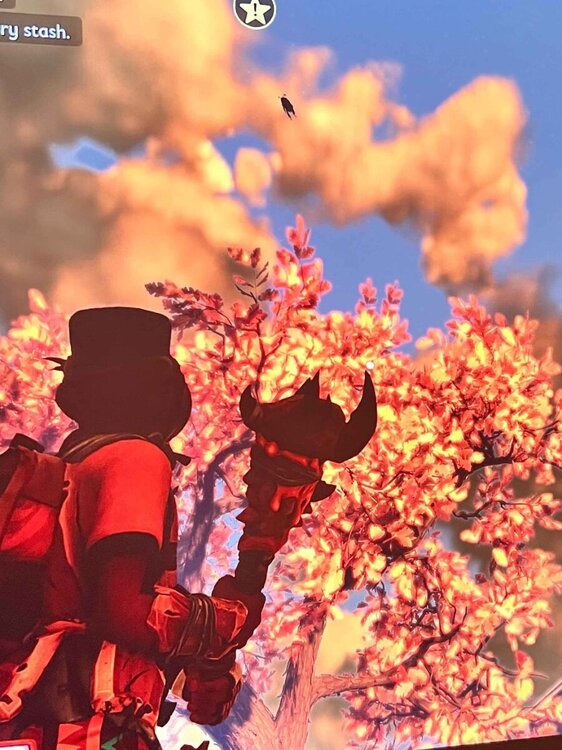
  1. Me and my friends ran into this issue too. We came back the next day and the bee was gone, but we actually found where it glitched. I went up to the top of the trashcan to see it, but i think it gets stuck at sky limit. We really don’t want to restart so we’re attempting to build a grass staircase up to it to hopefully keep our save in tact. For me it’s stuck in the sky in front of the tree next to the hot dog stand
Configure browser push notifications

Chrome (Android)
  1. Tap the lock icon next to the address bar.
  2. Tap Permissions → Notifications.
  3. Adjust your preference.
Chrome (Desktop)
  1. Click the padlock icon in the address bar.
  2. Select Site settings.
  3. Find Notifications and adjust your preference.