
Jump to content
View in the app

A better way to browse. Learn more.

Obsidian Forum Community

A full-screen app on your home screen with push notifications, badges and more.

To install this app on iOS and iPadOS
  1. Tap the Share icon in Safari
  2. Scroll the menu and tap Add to Home Screen.
  3. Tap Add in the top-right corner.
To install this app on Android
  1. Tap the 3-dot menu (⋮) in the top-right corner of the browser.
  2. Tap Add to Home screen or Install app.
  3. Confirm by tapping Install.

BeelzeBunnii

Initiates
  • Joined

  • Last visited

  1. Still no fix insight for me. I’ve been trying every day 😭
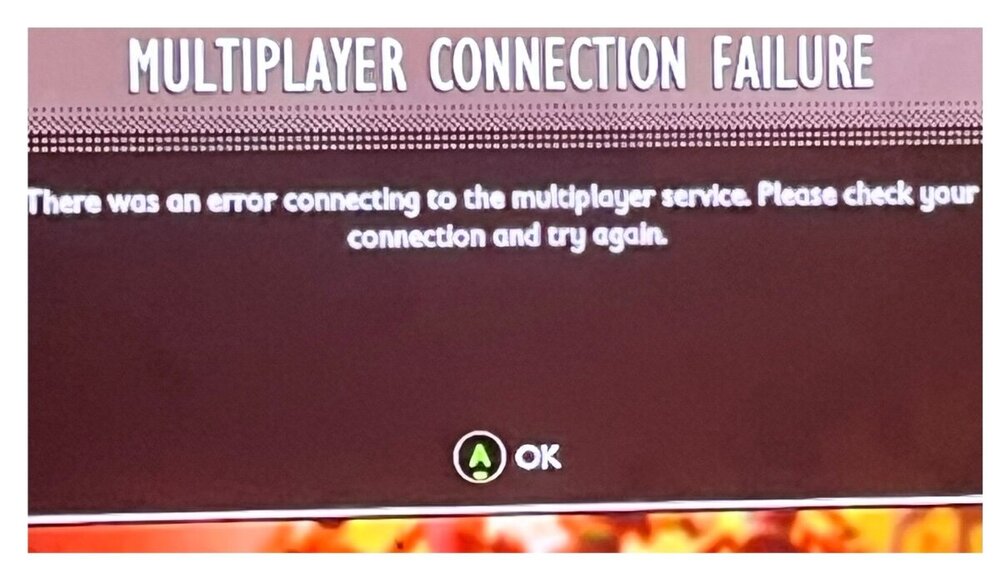
  2. Every time I try to access multiplayer I get this message. I’ve restarted my game, console and router. I’ve uninstalled and reinstalled the game. Checked the network connection and everything is running fine. Turned cross play on and off. Also tried using a wired and wireless connection. we have another Xbox and it runs multiplayer correctly and all of the network/multiplayer settings are the same. Pls help
Configure browser push notifications

Chrome (Android)
  1. Tap the lock icon next to the address bar.
  2. Tap Permissions → Notifications.
  3. Adjust your preference.
Chrome (Desktop)
  1. Click the padlock icon in the address bar.
  2. Select Site settings.
  3. Find Notifications and adjust your preference.