


MDVSS
Members
-
Joined
-
Last visited
Everything posted by MDVSS
-
Everything’s good! I managed to recover.
-
I ran into a problem. We created a shared world and were playing together. Yesterday I logged in alone and spent a lot of time building a base. But today, when my friend entered the shared world, the base I built was gone — as if I had never played or built anything. At the same time, I can’t enter the world anymore myself. From the screenshot, it shows that the last saves were during the day, but I played most of the time in the evening. Could you please tell me what I should do? How can I enter the world and restore all the saves? Thank you!
-
After updating to a new patch, does not load the general world, throws it out of the game
-
Playing on the xbox platform
-
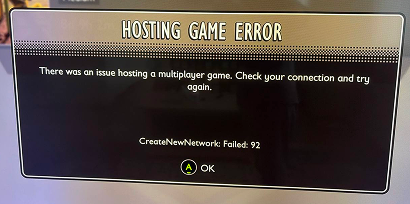
Hello! After the update, there are problems in the game over the network, we try to connect with a friend, both crash out of the game because my friend remains the host and I can’t connect. When I get to enter, the game crashes after a couple of minutes or when I open the inventory chest
