


Jeffaxer
Initiates
-
Joined
-
Last visited
Everything posted by Jeffaxer
-
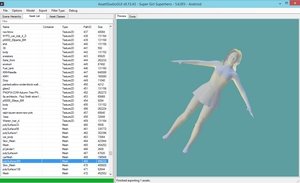
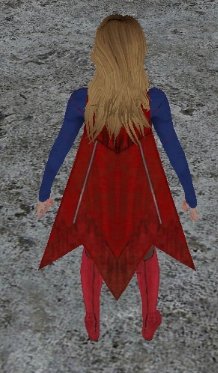
Hello everyone, I hope someone can help me because I did not find anything on the net to solve my little problem, I will try to be as clear as possible ... I would like to put the main character of one game in the other, it's 2 android games made with Unity. This is what i did ... Programs used : -AssetStudio -AssetsBundleExtractor I extracted the 2 APKs with Winzip to have the structure : (see pictures below)(1) I was therefore able to find the 2 "Models" in the 2 games, example : (see pictures below)(2) I imported the "Mesh" (.obj) from one game to another in .dat format by importing the "Raw" and "Dump" and converted everything back to APK: (see pictures below)(3) The problem is that in the game I don't see my character, he is there because I can run and move around in the game but he is invisible after my modification. (see pictures below)(4 and 5) I don't understand why, someone would have an idea ? the last picture is the "Models" I wanted to import into the game above (picture 4 and 5) : Please please plese, help me !!! if anyone wants to try just to see if it's possible, here are the links : https://apkpure.com/super-girl-superhero/com.eventualsol.supergirlhero/download?from=details https://apkpure.com/fr/amazing-hero-girl/com.bestsimgames.AMHG/download/2-APK take the main character of "Supergirl Superhero_v1.0" (the first "SuperGirl) and put it in "Amazing-hero-girl V2.0.0" to replace the main character with the cape and the texture if it's possible



- 20 replies
-
-

- 1
-
-
- Tutorial
- How to
- asset
- assetbundles
-
Tagged with:


