

Search the Community
Showing results for tags 'pc'.
-
 I constantly have either Youtube or Spotify playing, yet the game never drops a single frame outside or in. I have a RTX 2080 and an i9, but MOST newer games have some hiccups or stutter of some sort (Skyrim Special Edition, Fallout 4 when they came out). I have encountered neither bug nor stutter with all graphical settings maxed. So my question is, has everyone else been playing this godly game without bugs or performance problems?
 -
 It happens since patch 1.1. Before the patch, the numbered choices only appeared when playing with mouse/kb and hid when you activate a controller. Please fix this.
 -
 Hey Got the game via epic games. Can boot it up. Before game even starts, I get an error, with the message reading "there is no disc in the drive, please insert a disc into drive\device\harddisk3\DR3. The error message is labelled "IndianaEpicGameStore-Win64-Shipping.exe - No Disk If I click continue or cancel, the game starts, however. So I progress to click new game, and the game either crashes during the initial cinematic or during character creation I'm on win 7, but I meet the minimum system requirements Advice appreciated
 -

PC texture/shader issue
pmg posted a topic in The Outer Worlds: Technical Support (Spoiler Warning!)
I've been having a weird texture issue ever since I started the game. The edges of textures are often not quite aliased right, and the shadows are very saturated while lit textures lose detail/saturation. It's most noticeable in situations like this inventory screen shot of Vicar Max: Here are my system's stats: Graphics Chipset - AMD Radeon R9 200 Series Memory Size - 3072 MB Memory Type - GDDR5 Core Clock - 940 MHz Windows Version - Windows 10 (64 bit) System Memory - 8 GB CPU Type - Intel(R) Core(TM) i5-4690K CPU @ 3.50GHz This issue is unaffected by graphics quality settings and my driver is up to date.
-

Game Won't Start
SuperNova1 posted a topic in The Outer Worlds: Technical Support (Spoiler Warning!)
I bought The Outer Worlds through the Epic Games store and was able to play for about an hour before it crashed. When I try to reload the game I'm meet with a black screen for a few seconds before it defaults back to the Epic Games Launcher home page. I've tried deleting and reinstalling both The Outer Worlds and the Epic Games Launcher but neither worked. I have a few other games through Epic Games but the Outer Worlds is the only one to have this problem. Any help is greatly appreciated. -
 Hey, not sure what's going on here.. Displays like this on both of my characters.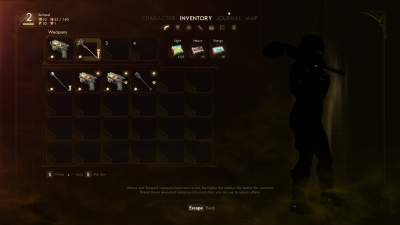
-
 On the Quest "The Commuter" where you need to talk to Corlatta in the warehouse, I did kill the guard standing at the front gate, then also killed the remaining guards inside the gated area between the generator and warehouse. Once done I went upto the door and when I use the intercom the game crashed. I restarted the game and had to do it again but this time was able to speak to her thro the intercom. She opened the door but as soon as I go to speak with her the game simply closes/crashes again. I have restarted the game, finished another side quest and then returned to her, restarted my PC, reinstalled, checked and updated Windows as well as all drivers and each time I run into the same crash when I try to speak with her. I am using this thro the Windows PC gamepass. My PC more then meets the req's to play the game as well. Any help would be great. I did submit a support ticket on the privatedivision.com website but wanted to post here as well incase anyone else had the issue and found a way to fix it.
 -
 Every time Nyoka appears on the screen for any length of time, my game crashes. Simple as that. I have no clue how the hell to fix it, and I was wondering if anyone else has the same problem.
 -
 When will we get an option for this? This game has become unbearable for me to play as ill get headaches from not looking where I'm actually looking, and I've had to put the game on hold u til a patch comes through.
 -
 While playing on PC, my controller disconnected, and when it reconnected, the game is ignoring all my input. I can move with kb and m, but the controller is giving me nothing, only fixed by rebooting. I think it does detect something because I can get the UI button prompts to change to xbox buttons, but I cant actually move or anything
 -
 PC via Xbox (Beta) app. Game crashes in the middle of Fallbrook. I suspect it is because I never introduced myself to Catherine Malin even though I progressed passed stage one in the quest "Errors Unseen," which expects you to talk to her (I did so by stealing her access card from her and using her computer without her noticing, and never speaking to her.) Please let me know if you would like logs or a video of the bug. EDIT: and just like that, with no changes at all and despite happening 5 times in a row, the bug has stopped.
 -
 This really weird bug happened to me: I'm currently in act 3, and after a few loading screens I started noticing my watcher was getting smaller and smaller, It is now the same size as a party pet, Grog for example is sightly smaller than what my watcher currently is. I have no idea if some mod tweaked the game files and changed the size of my watcher but I had no issues till now with mods. Is there some value I can change in Notepad to revert him back to normal? Note that other characters seem normally sized.
-
 To whom it may concern: I have an active saved game on my MacBook Pro and would like to resume playing on my Windows 10 PC. Both OSs and the Steam game installs are fully up-to-date. I purchased and installed both expansions to the base game. The saves transfer properly between my Mac computers via Steam Cloud Saves. I attempted to transfer the saves to my PC via a thumb drive, but the game crashed upon the first attempted loading and no longer sees the saves, despite their presence in the save folder ("user"/Saved Games/Pillars of Eternity). I tried the "start a new game, autosave, exit, replace autosave with old save, and continue" method, but it did not work, resulting in another crash of the Windows game application. Any help would be greatly appreciated.
 -
 As of patch 1.1, whenever my characters talk or make sounds during battle, they seem to overwrite anyone else that was previously talking or casting a spell. This can happen with short lines like Pallegina's "Belfetto!" or even someone's groan for swinging a weapon. The vocals being interrupted seems to happen moreso to player created characters (my Watcher) than the companions like Eder or Pallegina. This didn't seem to happen at all before the latest patches. Also, for my Watcher (male Wizard), spell incantation sounds "Athek werthan roth!, etc." rarely play at all anymore for him during combat, but seem to function better for everyone else. Out of combat, the vocals play almost every time. I am using the male Kind voice, but I changed it a few other ones and the problem still happens with him in combat. The sounds are my favourite thing about the game and it really breaks immersion that this happens.
 -
 Hi , I was wondering if it is possible to transfer a PC save file to the PS4?
 -
Hey guys. Trying to help my boss with his store. He sells used video games and has two TVs, one on each end of the store. Our main PC is behind the counter and he wants to start demoing PC games on the TVs. I told him I believe he needs an hdmi splitter and NOT an hdmi switcher. Is that correct? I found a splitter for about $200. Anyone heard of this brand? And is $200 a reasonable price? Because I’ve also found a bunch on Amazon like this for under $20!!! Why the dramatic price difference? Can my boss get away with using this cheapy device or are they not reliable? Thanks for any input.
-
 I've been having a problem wherein every time I modify my deck, my game stays on the loading screen after I hit continue, and I'm never allowed to progress. The only way to get out of this screen, is by force-closing the game (either with ALT+F4 or by using the Task Manager). This has resulted in me losing all my loot gained from the tutorial missions, and I also cleared the first adventure solo with only the base gear, only for all of that progress to mean nothing, because as soon as I finished that adventure, the game forces you into the modify deck screen, and all progress made was lost when it became stuck on the loading screen following this. All cards gained from the adventure, and all progress lost. I'm on the PC version of the game and I REALLY enjoy the game. A buddy bought it for me and I'm dying to play it with him, but I can't with this game breaking bug happening. Are there any solutions available? I found other posts regarding the same issue, but they were replied to and resolved in private seemingly, so I have no idea how to remedy this. :/
 -

Can't login (Steam)
Gri posted a question in Pathfinder Adventures: Technical Support (Spoiler Warning!)
Recently bought Steam version, but game run only in offline mode. What platform are you on? Stream/Android/iPad, etc. - Steam What version of the OS are you running? Android 4.4, iOS 9.3, etc. - Windows 7 What model is the device? Galaxy Tab 3, iPad Mini 4, etc. - PC. - 2.6 Ghz CPU - 2 GB Ram - Radeon HD3650 (512MB) What is your PFID#? (Located in the settings menu) - Game don't show it. Only "PFID-". But i found some info in windows registry like "License-ID", may be it help. When you launch the game, does the welcome popup appear for Game Center/ Google Play Games? - I'm launch on PC. Welcome message sometimes not appers and sometimes show that... On the main screen, what is the text displayed in the blue box at the top? (Logged into GooglePlayGames, Logged into Game Center, or Link Social Gaming Network) - Image above -
 I only own the Steam version and the Login Button doesn't do anything. I have internet connection, but the button is completely unresponsive. ~~~~~~~~~~~~~~~~~~~~~~~~~ What platform are you on? Steam What version of the OS are you running? Windows 10 Home What model is the device? Intel® Core i7-4702MQ CPU @ 2.20GHz 2.19GHz 64-Bit Operating System, x64-Based Processor What is your PFID#? VER-953-20170614 PFID- Login Issues When you launch the game, does the welcome popup appear for Game Center/ Google Play Games? No. On the main screen, what is the text displayed in the blue box at the top? Link Social Gaming Network (though this button also does nothing)
 -
 With these tags I expect at least a little traffic, so, for newcomers. Campaign (Read me! Human advert!) https://www.fig.co/campaigns/deadfire I'm discussing suggestions and philosophizing about design: It looks a bit like it might have more features than simply being a map you travel across (Information, Population, etc. "Eothas mad!!" -1000 Population, change of Faction ownership and whatnot maybe even, source). World Map/Global Turns/Global Timeline A discussion on Fig got me thinking... and about Readceras as well... Basically, how do the people of Eora communicate at long distances? Telepathy? Soul sharing? Or are Gods the operators? When Eothas is reborn, he texts everyone at the same time "I'm back"? Or other Gods pick up on it and warn their followers? How does it function? Let's say that they don't. It's medieval times, you have to send out runners and messengers, by horse, or bird messenger etc. it'll take weeks, months, before any decision is made. A Board Game World Map. With Global Turns, or perhaps "Global Timeline", and Faction AI taking in-game turns at the same time as the Watcher moves on the World Map. So it'd really become "Hunt a God", even on the World Map. What I'm really wondering about is what could be done with Mid-Game Turns and Late-Game Turns. This is just an example to give a general idea: Turn 1: Eothas wakes up. Takes a walk through Defiance Bay. Turn 5: Dyrwood refugees arrive. Turn 8: Eothas arrives at Nekataka. Huana sends messengers to Rauatai. Turn 9: Watcher arrives in Deadfire. Eothas leaves Nekataka. Turn 11: Rauatai arrives at Nekataka. Turn 15: Eothas destroys a village. Turn 20: Readceras arrives. Turn 1'000'000: Eora blows up. The Player would be able to completely ignore or intercept and act how they want. It might also not be 100% obvious "Here it is" pointers, but more or less random events occurring all around you as you travel on the World Map (because detective work and looking for clues is fun. Tracking down Eothas would be badass more than "Here I Am" on the World Map, even if he would just be patrolling A to B). Invisible Random Encounters essentially. https://i11a.3djuegos.com/juegos/11994/battle_brothers/fotos/set/battle_brothers-2761733.jpg EDIT: Sunless Sea is also a great example: http://scientificgamer.com/blog/wp-content/uploads/2015/02/sunless_london.jpg Thoughts?
 -
 To whom it may concern, Regardless of my hesitance to post (after seeing the... low response rate of actual developers or Obsidian staff members), I guess I'm writing this down anyway. I speedrun games - it's a hobby and passion of mine, and has been for several years. I have run many games, worked with developers of several of these games, and even had the opportunity to attend Summer Games Done Quick 2016, a charity event that raised quite a lot of money for Doctors Without Borders, a non-profit organization that focuses on bettering the amount of medical care in places where it would otherwise be impossible to receive medical attention. Regardless of all the rambling, I love it. I recently came across a route for South Park: The Stick of Truth in which it is theoretically possible to finish the game in under one hour and 15 minutes (in a perfect run). You can see a video of said route here (standard Youtube link). In the run, however, we utilize several... unintended effects in order to beat the game as fast as we possibly can. Sadly, however, Obsidian, as of any Build Version higher than 1353, removed many of these (let's call them what they are) exploits we make use of in the run. Even worse, possibly, is the fact that anyone who wishes to learn/run SP: TSoT simply cannot without having access to the game's previous versions (anything pre-1353). This is my question: are there any methods, legal of course, in which players, who wish to do so, may "downpatch" their game to previous build versions to allow speedruning at the highest level? I can understand if this is not a high-priority question, or even irrelevant. Developing games is a hard thing to do, and appealing to everyone is damn-near impossible. I just wanted to ask before I give up on running the game due to this unfortunate but uncontrollable situation.
 -
 In order to be able to stream with OBS, I need to be able to play this game in Windowed mode. When I turned off full screen, the game screen goes black except for sound and cursor. I have read through the forums but do not see any fix for PC. I see plenty of things to try for a Mac, but I am running on PC. Output log and DxDiag file are attached. DxDiag.txt output_log.txt
 -
 Hi, i'm unsure which PC i should play. My NPC party setup is, like i would say "cut in stone", but i dont know which PC would complete my Setup. I would go with: Eder - Frontline Tank Pallegina - 2hand Off tank + Supporter Aloth - CC and likely DD Sagani - DD Grieving Mother - DD my problem now is which class + spec should i play to fit in this setup. I'm really bad at this part of the game when u plan your charackter and decide what you play, so i would like to hear your advice. Oh and i prefer any role, especially in this type of games. Thanks for your time and i await your reply^^ Tobias P.S. Praise the Sun!
 -
 Hi, Started playing Pillars of Eternity this week-end, and I'm very impressed so far, or I would be if I could play without crashing. I indeed regularly encounter a full "crash to black screen" at any random moments of the game. So far it happened to me before even starting the game during the character creation period, and several times during the first 3 or 4 zones of the game. It can happen during combat, during simple movement/exploration, etc. When the crash happens, the game starts by freezing for a second or two, then it goes fully black for a few seconds, and only then I go to the error message "Pillars of Eternity has stopped working". One information that might be helpful, is that I encountered the exact same crash on Wasteland 2 (characterized by having the same error message, same freezes, the same way my screen flickers, etc.). At the time I had spent weeks discussing over e-mail with inXile's support without them finding the cause of the issue. I then stopped playing W2 for a while, and tried again from time to time after they patched to see if it was working. Here is the link to my original thread on the same issue for Wasteland 2, which didn't get much answers unfortunately. As of now, this crash seems to have disappeared from Wasteland 2. This might be after their patch 4 or 5, but I'm not sure they have fixed it knowingly. I do not have any issue with other Unity-based games such as Shadowrun Returns though, and do not have this issue with any other games at the moment. My system specs: CPU: AMD FX 8350 8-core RAM: 12GB OS: Windows 7 64bits GPU: Radeon R9 290x, tested with both 15.2 and 15.3 drivers, both have the same issue Direct upload to the files kept failing, so DxDiag, Save file and Output log are all located on Dropbox here. Hope this can help get it fixed soon !
 -
 So, say I get Eder and then five other custom heroes (since it is possible via stream-knowledge to get an entire custom party at the beginning). Then I come across Aloth. What happens? I've yet to unlock the Stronghold. Can I just not get Aloth until I can store party members?


